
Shopify PWA App
Explore a progressive web app approach for Shopify stores that want a more app-like mobile experience without requiring customers to download a traditional native app. The Lumoonix PWA solution focuses on storefront presentation, installation, icons, splash screens, and mobile experience considerations.


What Is a Shopify PWA?
A progressive web app, or PWA, combines web technologies with selected app-like capabilities. For an eCommerce store, a PWA can make the storefront feel more natural on mobile devices and can give customers an option to add the experience to their home screen. It is especially relevant for merchants whose customers return frequently and who want to improve the continuity of the mobile browsing experience.
Why Consider a PWA for Shopify?
Building a native iOS and Android app can require separate development, release processes, and ongoing maintenance. A PWA can provide an alternative path when the main objective is a stronger mobile web experience. It does not eliminate platform limitations, and merchants should evaluate whether the PWA model matches their customer behavior and business goals before implementation.
See MG ‑ PWA Mobile Pro in Action
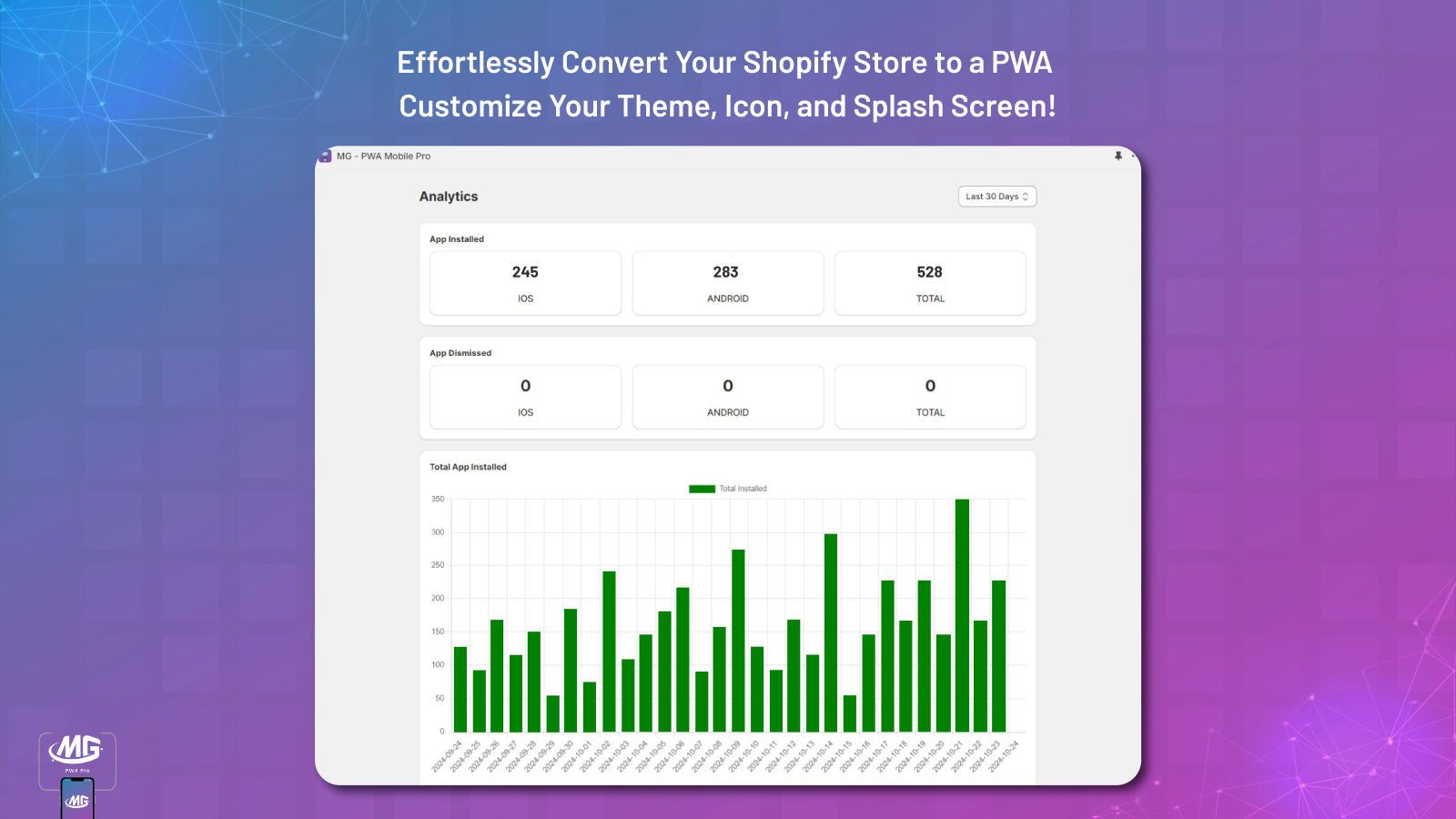
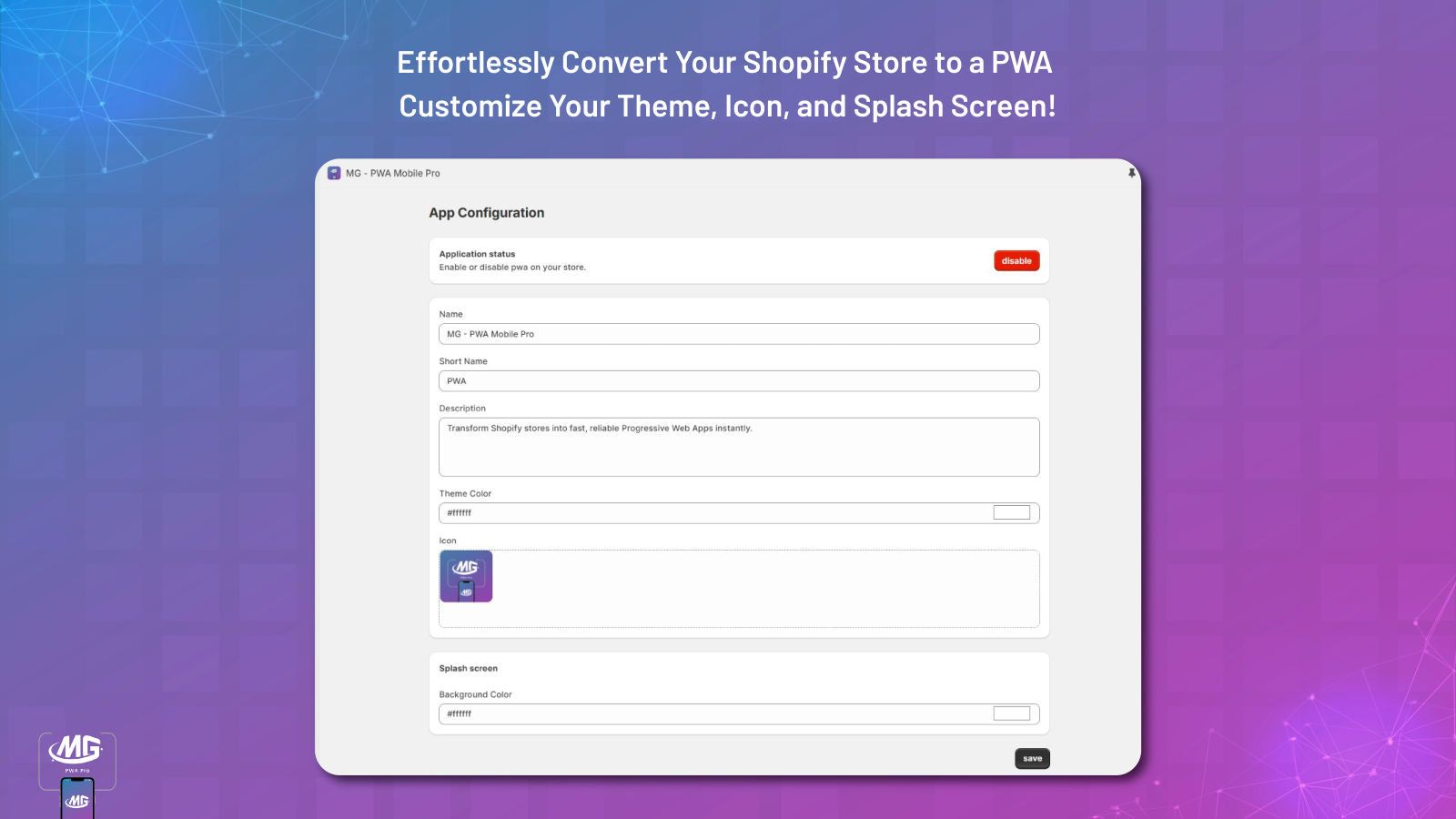
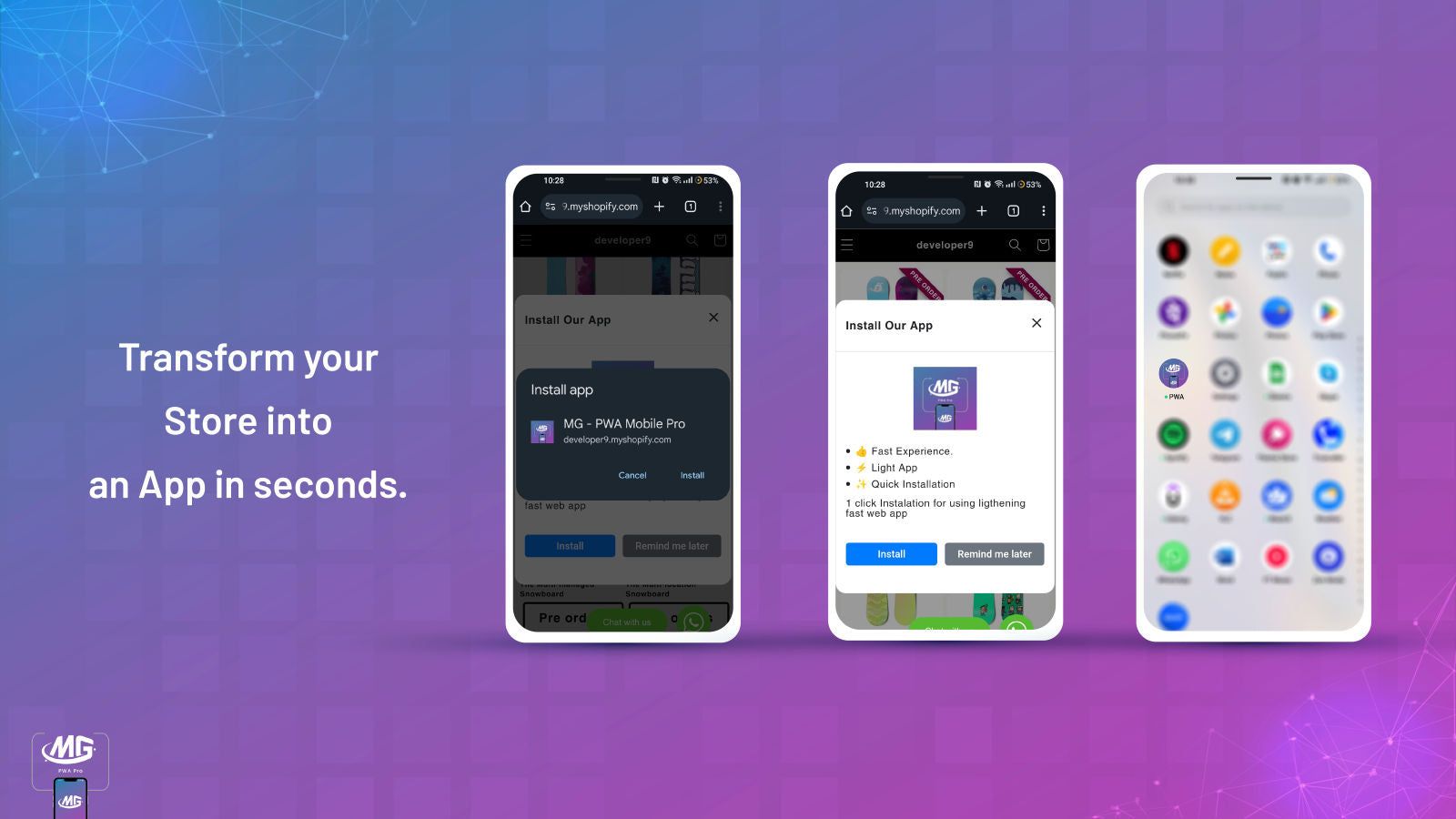
Screenshots from the app's Shopify App Store listing.
Settings, Platforms & Launch
Key PWA Settings
The Lumoonix PWA experience can be evaluated around core configuration areas such as the install flow, application icon, splash presentation, and offline behavior. These elements influence how the experience appears when a customer adds the site to a device. Exact capabilities should be confirmed against the current app implementation before launch.
iOS and Android Considerations
PWA behavior is not identical across platforms. Installation prompts, browser capabilities, storage, notifications, offline functionality, and other features can vary between iOS and Android. A strong implementation therefore needs platform-specific testing rather than assuming that one browser experience represents every customer.
PWA and eCommerce UX
A PWA should complement the store's core shopping journey. Product discovery, navigation, search, cart, account experiences, and checkout remain critical. Adding an app-like layer does not compensate for slow pages, confusing navigation, weak product information, or a difficult checkout. Start by improving the underlying storefront experience, then use PWA capabilities where they create additional value.
Offline Experience
Offline behavior is one of the areas that requires careful expectation setting. Some assets and experiences can be cached, but an eCommerce store cannot assume that every shopping function will work without network access. Merchants should define exactly what offline users should see and how the experience should recover when connectivity returns.
Installation and Adoption
An installation flow should be easy to understand and should appear at an appropriate moment in the customer journey. Aggressive prompts can create friction, while a well-timed explanation of the benefit can encourage adoption. Consider repeat purchase frequency, customer loyalty, mobile traffic share, and the value of a home-screen experience before investing heavily in PWA promotion.
Testing Before Launch
Test installation, icons, splash screens, navigation, caching, cart behavior, login, checkout handoff, and recovery from offline states. Test multiple browsers and devices, especially across iOS and Android. Document known limitations so customer support and internal teams can answer questions accurately.
Important Product Note
Because PWA capabilities and platform behavior can change, merchants should confirm the latest implementation and support status before deploying the solution on a critical production store. The current app listing should be treated as the source of truth for available functionality and installation guidance.
Need a More Advanced Solution?
If your requirement extends beyond a standard PWA setup, Lumoonix can help evaluate custom Shopify storefront development, headless commerce, or a broader mobile strategy. The right architecture depends on the customer experience you want to create and the capabilities your business actually needs.
Plan It Right
Shopify PWA Implementation Checklist
A PWA project should begin with a clear customer-use case. Define whether the goal is repeat visits, faster mobile access, stronger engagement, or a more app-like browsing experience. Next, map the installation flow and decide what customers should see before, during, and after installation. Configure the icon, splash experience, caching behavior, and supported offline resources, then test the store on representative iOS and Android devices. Pay special attention to login, cart, checkout, account functionality, analytics, and recovery after connectivity changes. Review how the PWA interacts with existing scripts and storefront functionality, because an app-like layer should not introduce performance or reliability problems. Finally, measure adoption and engagement. If customers do not repeatedly use the installed experience, the business may gain more value from improving the core mobile storefront instead.
Who Should Consider a Shopify PWA
A PWA is worth evaluating for stores with substantial mobile traffic, repeat customers, and a clear reason to create an app-like web experience. It can be especially relevant for brands where customers frequently return to browse, compare products, or make repeat purchases. Stores with limited repeat usage may see less benefit.
Simple, Transparent Plans
Current plans from the Shopify App Store listing.
Super Plan
- Let customers install your store as a web app
- Custom icons, splash screens and theme colours
- App-like experience across devices and screen sizes
All charges are billed in USD. Recurring and usage-based charges are billed every 30 days.
Frequently Asked Questions
Is a PWA the same as a native mobile app?
No. A PWA is delivered through web technologies and can provide selected app-like capabilities, while native apps are built specifically for mobile operating systems. A PWA can be a practical option for businesses that want a stronger mobile web experience without maintaining separate native applications.
Does a Shopify PWA work on iPhone and Android?
PWA capabilities can vary between iOS and Android, including installation behavior and supported browser features. Merchants should test the exact implementation on representative devices and browsers. Do not assume that a capability available on one platform will behave identically on another.
Can a PWA work offline?
Some resources can be cached for offline or low-connectivity scenarios, but an eCommerce store should not assume that every shopping function can operate without a network connection. Define the intended offline experience and test how the store recovers when connectivity returns.
Will a PWA improve Shopify SEO?
A PWA is not an automatic SEO improvement. Search visibility still depends on crawlability, content, technical SEO, internal linking, performance, and other factors. A PWA should support a strong web architecture rather than replace SEO fundamentals.
Should every Shopify store use a PWA?
No. A PWA is most useful when mobile traffic, repeat usage, and an app-like experience justify the investment. Review customer behavior and business objectives first. For some stores, improving responsive UX and Core Web Vitals will deliver more value than adding PWA functionality.
Key Benefits
The strongest PWA benefit is continuity between mobile web browsing and an installed experience. Customers can gain easier access to the store, while merchants can create a more app-like touchpoint without immediately committing to two separate native applications.
Related Resources
Ready to Get Started?
A PWA can be a useful extension of a strong mobile storefront when there is a clear customer benefit. Validate platform behavior, installation, performance, and offline expectations before launch. If you need a broader mobile or headless commerce strategy, Lumoonix can help evaluate the right architecture.